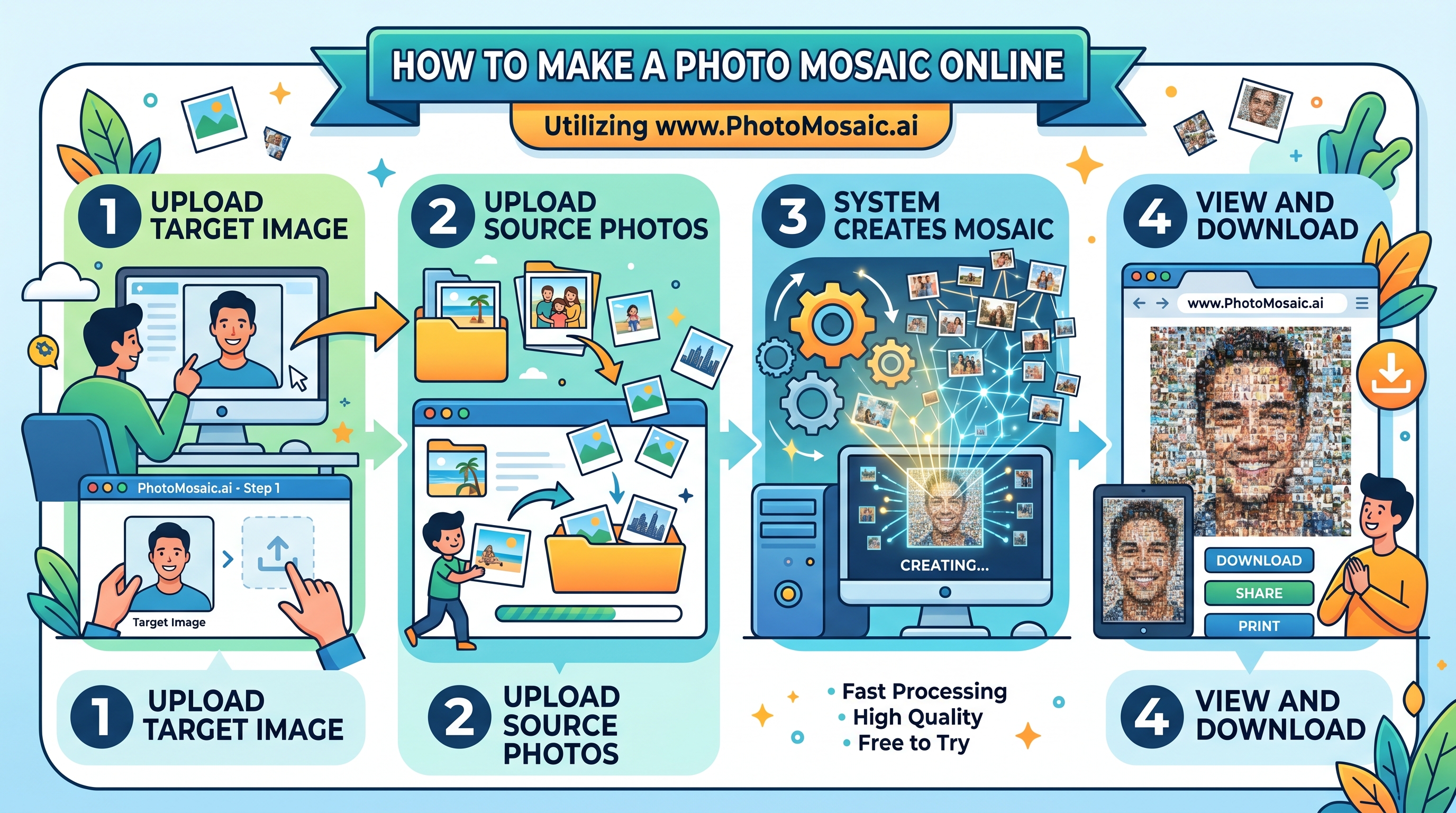
Creating a photo mosaic used to require Photoshop skills, hours of manual work, and a powerful computer. Today, you can make a stunning, print-ready photo mosaic online in minutes — and the results are extraordinary. Here's exactly how to do it.
What You'll Need
- A portrait or main image to recreate (your "target" image)
- At least 25 photos to use as tiles — the more the better
- A free account on PhotoMosaic.ai
That's it. No software to install, no design skills required, no waiting days for results.
Step-by-Step: Creating Your Photo Mosaic
Create Your Mosaic Group
Sign in to PhotoMosaic.ai and create a new group for your event or occasion. Give it a name — "Sarah & Tom's Wedding" or "Class of 2026" — so contributors know what they're contributing to.
Share Your Upload Link
Every group gets a unique upload link. Share it via text, email, or WhatsApp with friends and family. They can add photos directly from their phone — no account needed. The more photos they contribute, the better your mosaic will look.
Upload Your Portrait
Choose the main image your mosaic will recreate. This is your "target" — the big picture that the small photos will form when assembled together. A clear, high-contrast portrait works best.
Generate Your Mosaic
Click Generate and let the AI engine do the work. It analyzes every photo in your collection, matches each tile to the right location in the grid, and renders the full mosaic. This typically takes 2–5 minutes depending on your photo count.
Preview, Then Download
Your watermarked preview is free. Zoom in to see the individual tile photos. When you're ready for the full-resolution, watermark-free version — perfect for printing — unlock it for a one-time $29 fee.
Time-saving tip: Use the bulk ZIP upload feature to add dozens of photos at once. Just zip your images and upload — the system processes them all automatically.
Tips for the Best Results
Choose the Right Portrait
The best target images for a photo mosaic have:
- A clear, recognizable subject with good contrast
- A relatively simple background (or no background)
- Strong lighting so facial features read clearly
- Square or portrait aspect ratio works best
Collect More Photos Than You Think You Need
The algorithm can reuse tiles when needed, but your mosaic will look significantly better with more unique photos. Here's a rough guide:
- 25–50 photos: Good results — clear subject recognizable from a distance
- 50–100 photos: Great results — better color matching and detail
- 100+ photos: Outstanding results — rich color variety, pixel-perfect tile placement
Use Diverse Photos
A collection of photos with varied colors, backgrounds, and lighting gives the algorithm more to work with. A mix of indoor and outdoor shots, close-ups and wide shots, and different seasons or locations will produce a visually richer mosaic.
Let Guests Know What It's For
When you share your upload link, tell people what you're making. "Add your photo to our wedding mosaic!" gets far more responses than a bare link. Excitement is contagious — and more photos means a better mosaic.
How Long Does It Take?
The actual mosaic generation takes 2–5 minutes once you click Generate. You don't need to wait around — PhotoMosaic.ai will have your result ready and you can come back to it anytime.
The photo collection phase is up to you. Some organizers collect photos in the days leading up to an event; others share the link at the event itself and generate the mosaic in real time.
Can I Regenerate My Mosaic?
Yes. If more photos come in after your first generation, you can generate a new mosaic using the updated photo pool. Each generation uses all the photos currently in your group, so adding more photos and regenerating always produces a better result.
What File Format Is the Final Mosaic?
PhotoMosaic.ai delivers your mosaic as a high-resolution JPEG, up to 9,600 × 9,600 pixels. This is large enough to print at:
- 16×16 inches at 600 DPI (gallery quality)
- 24×24 inches at 400 DPI (large print quality)
- 48×48 inches at 200 DPI (poster/banner quality)
Sharing and Printing Your Mosaic
Once downloaded, your mosaic is yours to use however you like. Popular options include:
- Printing as a canvas for a wedding gift or home display
- Ordering as a poster for a graduation party
- Sharing digitally via email or social media
- Creating a slideshow that zooms in to reveal the individual tiles
Start Your Photo Mosaic Today
Free preview. No software. No design skills needed. Just upload, generate, and be amazed.
Create Your Mosaic — Free